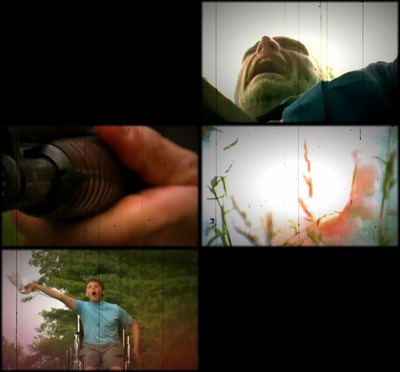
File[Report_Card.swf] - (4.25 MB)
[_] [L] WTF Wednesday Synonymous !SYNONymDuY 07/20/11(Wed)21:35 No.1539437

  Click on video to toggle fullscreen.

>> [_] Anonymous 07/20/11(Wed)21:59 No.1539444

  awesome story
  in fact i give this history a+

>> [_] Anonymous 07/20/11(Wed)22:01 No.1539445

  Fantastic!

>> [_] Anonymous 07/20/11(Wed)22:01 No.1539447

  >>1539444
  And trips tell the truth.

  BTW, Synon, how did you make this video into a .swf that could actually play on /f/?

  When I used SoThink to do this, it wouldn't play on /f/.

>> [_] Anonymous 07/20/11(Wed)22:04 No.1539450

  what is this I don't even..

>> [_] Anonymous 07/20/11(Wed)22:25 No.1539465

  This was part of a film contest that required a father, a son, and the word "fantastic"
  The number to heaven got first place

>> [_] Anonymous 07/20/11(Wed)22:47 No.1539474

  That's why i never A+ on my report cards, i was afraid my father would shoot me!

>> [_] Synonymous !SYNONymDuY 07/21/11(Thu)00:15 No.1539514

  >>1539447
  Well, it wasn't a short process..
  >Downloaded video from jewtube.
  >Used Format Factory to convert to AVI (because jewtube FLVs don't import into flash or media
  encoder)
  >Converted back to an FLV with Adobe Media Encoder (Video:15fps 1mbps Audio:64kbps)
  >Created new AS2 project in Flash CS5, changed framerate to 15fps, changed resolution to that of
  the video, change background to black.
  >Imported video as embedded. Made new layers with blurred black border and pasted some scripts
  and buttons from another project.

  A much simpler way is just skip all the other steps once you have the video and use Format
  Factory to convert it directly into a FLV wrapped in an SWF, but the background is always set to
  white which looks kinda shitty IMO.
  I was bored so I did it with media encoder and flash just so I could make the background black,
  have a blurred border and add a little bit of scripting.