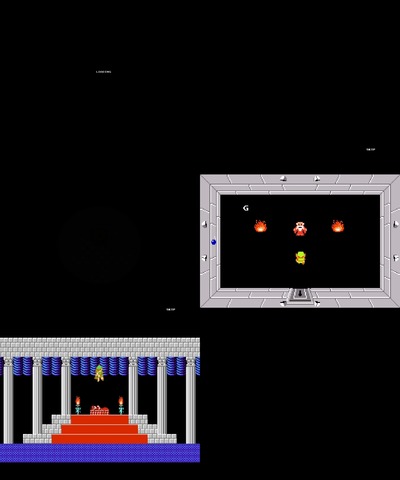
File: The Legend of Zelda Synthesizer.swf-(5.93 MB, 1000x800, Other)
[_] Anyone else having problems with firefox and /f/ Anonymous 06/09/17(Fri)00:03:26 No.3252249

  I can't open these in their own window, but if I open them embedded first I can get to them
  directly after. It's weird.

Marked for deletion (old).
>> [_] Anonymous 06/09/17(Fri)01:53:15 No.3252270

  Thank you for posting this, OP. A Link to the Past is my all time favorite game.

>> [_] Anonymous 06/09/17(Fri)04:13:18 No.3252295

  >>3252249
  Flash not working properly in Chrome? Here's how to fix it:
  1) Go to chrome://settings/content and select "Allow sites to run Flash".
  2) Go to chrome://flags/#prefer-html-over-flash and select "Disabled" from the list.
  Copy the link addresses and manually paste them into the address bar.

>> [_] Anonymous 06/09/17(Fri)07:28:29 No.3252323

  >>3252295
  Install g̶e̶n̶t̶o̶o̶ Firefox.

>> [_] Anonymous 06/09/17(Fri)12:22:40 No.3252363

  >>3252323
  Firefox is better anyhow anon

>> [_] Anonymous 06/09/17(Fri)12:30:17 No.3252364

  >>3252270
  This. I forgot how much I loved this game. May actually go back and replay it this weekend.

>> [_] Anonymous 06/09/17(Fri)13:04:15 No.3252372

  >>3252323
  gentoo has problems getting flash to work initially and when you ask anyone on /g/ about how to
  get flash working, all they'll do is spout "botnet".

>> [_] Anonymous 06/09/17(Fri)13:34:15 No.3252385

  >>3252249
  Sure it's not a scriptblocker preventing the tab from opening alltogether? Had that with NoScript
  alot.
  I did uninstall it, because there was just no way of it letting me post files on /f/ for
  cross-scripting reasons.

>> [_] Anonymous 06/09/17(Fri)13:58:50 No.3252394

  >>3252323
  firefox keeps dicking up some of the flashes that I open, and sometimes it'll fail to download a
  flash and subsequently fail all future attempts to redownload it, it's a real pain in the ass

>> [_] Anonymous 06/09/17(Fri)14:02:38 No.3252396

  >>3252249
  Start with
  >>3252295
  THEN, if that didn't solve your problem, then open Tools > Options, select Applications tab,
  scroll down and find any and all entries for
  Shockwave Flash Object (application/xxxxxxx)

  EVEN IF the setting says "Use Shockwave Flash (in Firefox)", open it AND SELECT IT AGAIN.

  Now you should be able to normally open a flash in a new tab or window.

  Somehow for the past year Fx completely disrespects your SWF application settings, and even
  though the setting hasn't changed, you may have to re-set each one EVERY time you start Fx.

>> [_] Anonymous 06/09/17(Fri)15:58:36 No.3252432

  >>3252295
  >2) Go to chrome://flags/#prefer-html-over-flash and select "Disabled" from the list.
  This did it. Thanks