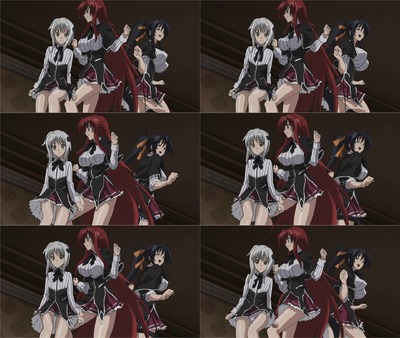
File: ALRIGHT.swf-(1.64 MB, 550x400, Loop)
[_] HELP ME MAKE A FLASH LOOP PLEASE Anonymous 03/24/18(Sat)03:33:53 No.3324683

  I have 10 frames of an animation saved as a .jpg at 70~KB
  How do I get them to play and then loop in Adobe Flash Professional CS6?
  I have no clue what I'm doing and the guide I was following only used .gifs
  https://i.imgur.com/oj9vwAJ.png

  what do?

>> [_] Anonymous 03/24/18(Sat)03:40:05 No.3324685

  >>3324683
  drag next photo to next frame

>> [_] Anonymous 03/24/18(Sat)03:56:46 No.3324688

  >>3324685
  Where is "Next frame" ?

>> [_] Anonymous 03/24/18(Sat)04:24:39 No.3324698

  http://swfchan.org/1922/?5544

  animation saved as jpeg? not as gif?

  if it's an animated jpg (does that exist?) I have no clue if flash will accept that
  if it's what >>3324685 said, and you have every single frame as its own picture, than do it like
  in the tutorial I posted, but instead of the gif that automatically fills out all the frames you
  just make new frames manually (Insert > Timeline > Frame) and fill them with the appropirate jpg

  it's just a series of frames that will play the animation in that exact order
  you know, the little piano-key looking collums at the bottom of the screen

>> [_] Anonymous 03/24/18(Sat)04:44:00 No.3324699

  When I say I have 10 frames I mean I have 10 different jpg files saved that are each a different
  frame of the animation

  >>3324698
  >you just make new frames manually (Insert > Timeline > Frame) and fill them with the appropirate
  jpg
  >fill them with the appropirate jpg
  I can't figure out how to do this. There's no option to select the 2nd image. I can't drag it to
  the timeline at the bottom either.

>> [_] :v 03/24/18(Sat)04:48:15 No.3324701

  >make/find gif
  >import to stage
  >layer muzak
  >write sad little blip about how much everyone hates you and hide it somewhere in the flash
  fuck'n doneroni u r flash master

>> [_] Anonymous 03/24/18(Sat)04:54:39 No.3324704

  OP here. I seem to have got them all in the timeline by dragging and dropping from windows
  explorer Now I just have to get the framerate and whatnot done. Will report back.

>> [_] Anonymous 03/24/18(Sat)05:30:27 No.3324708

  OP here, when it export and play it, there is two white lines at the top and the left.the
  resolution of the image is 1280x720 and the resolution of the flash is 1280x720. So why are there
  two white lines?

  Does anyone else see the white lines?
  https://files.catbox.moe/3x5n5a.swf

  What can I do other than resize?

>> [_] Anonymous 03/24/18(Sat)06:25:47 No.3324709

  Maybe not make the flash have a native resolution, and have the jpgs automatically scale to the
  current resolution? Just a guess.

>> [_] Anonymous 03/24/18(Sat)06:29:19 No.3324711

  >>3324708
  Just use mjpeg

>> [_] Anonymous 03/24/18(Sat)06:30:25 No.3324713

  >>3324709
  Yep this seems to have fixed it.